> ## Documentation Index
> Fetch the complete documentation index at: https://docs.poozle.dev/llms.txt
> Use this file to discover all available pages before exploring further.
# Quickstart
> Discover Poozle's features and functionality within a short span
⭐ Level - Beginner
⏱️ Time - 5 minutes
Experience Poozle by fetching GitHub issues from your public repos.
## Create Integration Account (Github)
1. First, you can [deploy Poozle](/oss/deploy-poozle) using docker. Don't worry it's just `docker-compose up`
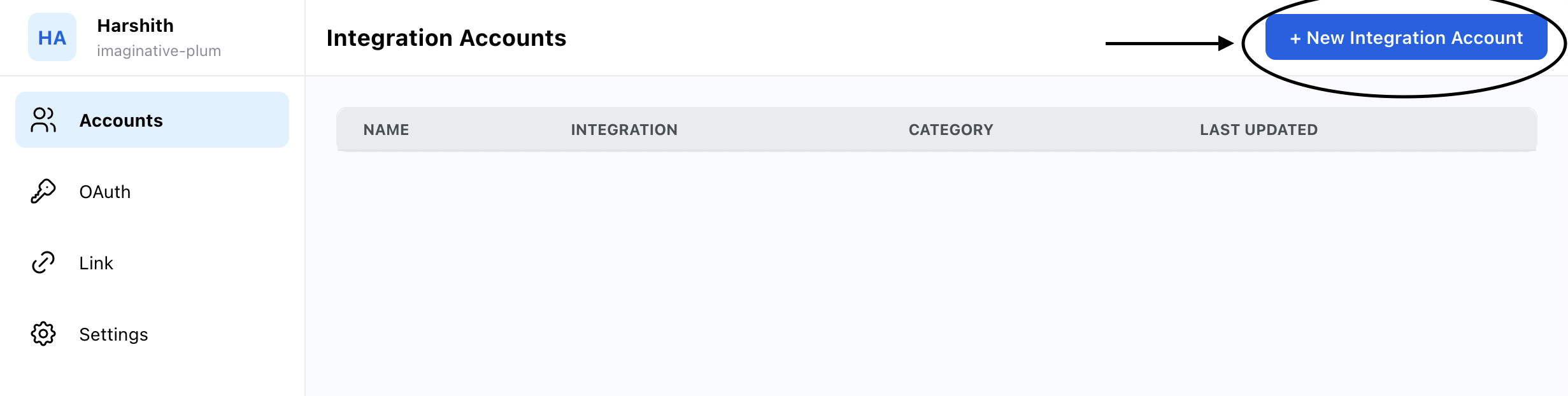
2. On the [Accounts tab](http://localhost:8000/workspaces), click `+ New Integration Account` on the left side:
 3. Choose Github in the select and give the API Key. You can check [Github Settings](https://github.com/settings/tokens) page to create a new token.
4. Connect Github and Hurray you are connected.
## Fetching issues from a unified Ticketing API
1. On the [Accounts tab](http://localhost:8000/workspaces), click on the connected integration.
2. In the URL `http://localhost:8000/workspaces/0a58f56e-3f59-4f4e-a8e1-a9e47aae5c3c/integration_account`. Take
workspaceId `0a58f56e-3f59-4f4e-a8e1-a9e47aae5c3c` and Copy it.
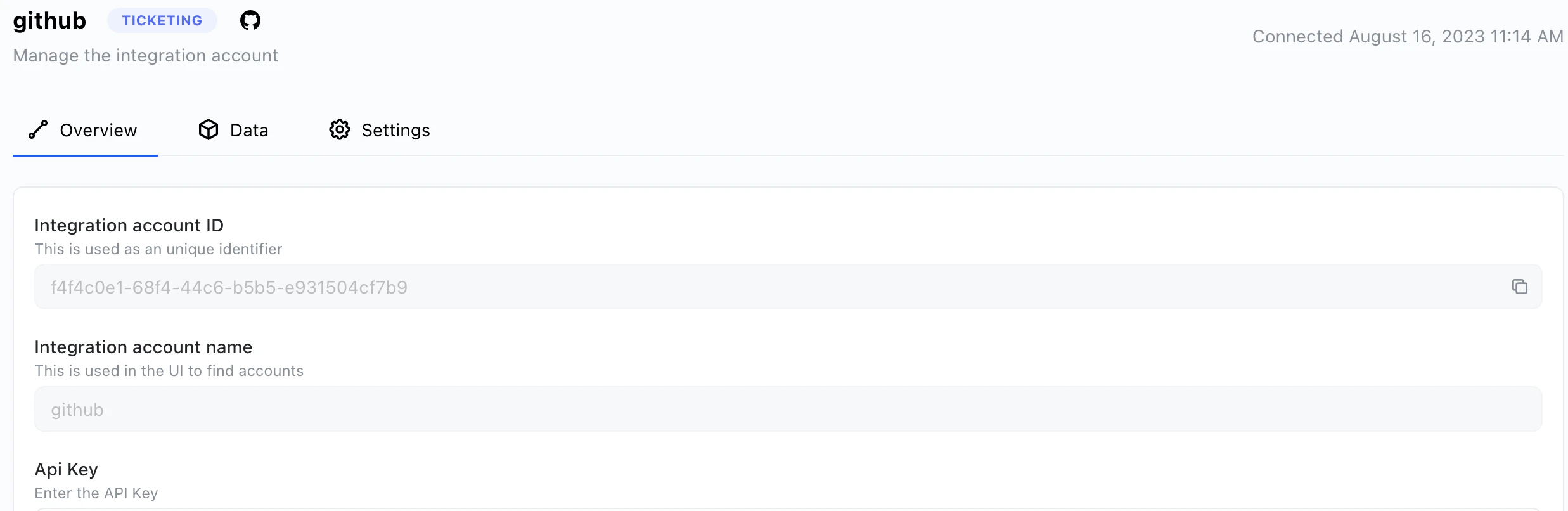
3. Go to the integration account and copy the integration account ID
3. Choose Github in the select and give the API Key. You can check [Github Settings](https://github.com/settings/tokens) page to create a new token.
4. Connect Github and Hurray you are connected.
## Fetching issues from a unified Ticketing API
1. On the [Accounts tab](http://localhost:8000/workspaces), click on the connected integration.
2. In the URL `http://localhost:8000/workspaces/0a58f56e-3f59-4f4e-a8e1-a9e47aae5c3c/integration_account`. Take
workspaceId `0a58f56e-3f59-4f4e-a8e1-a9e47aae5c3c` and Copy it.
3. Go to the integration account and copy the integration account ID
 4. Go to `Settings` page and click on API Keys. [Generate a new key](guides/basics/authentication) to use it as a Bearer token.
5. You can call `http://localhost:8000/api/v1/ticketing/{repo_name}/tickets?realtime=true` with headers `workspaceId`, `integrationAccountId` and `Authorization` with its values respectively.
6. Hurray you can now all access all the data from [ticketing models](/ticketing/overview).
4. Go to `Settings` page and click on API Keys. [Generate a new key](guides/basics/authentication) to use it as a Bearer token.
5. You can call `http://localhost:8000/api/v1/ticketing/{repo_name}/tickets?realtime=true` with headers `workspaceId`, `integrationAccountId` and `Authorization` with its values respectively.
6. Hurray you can now all access all the data from [ticketing models](/ticketing/overview).