> ## Documentation Index
> Fetch the complete documentation index at: https://docs.poozle.dev/llms.txt
> Use this file to discover all available pages before exploring further.
# Authentication
You need to authenticate to access all the APIs of Poozle both internal and unified APIs. You can generate your token using the following steps.
1. Go to `Settings` page from the left bar.
2. Choose API Keys from the above tabs.
3. Give the key a name, expiry time and click on generate.
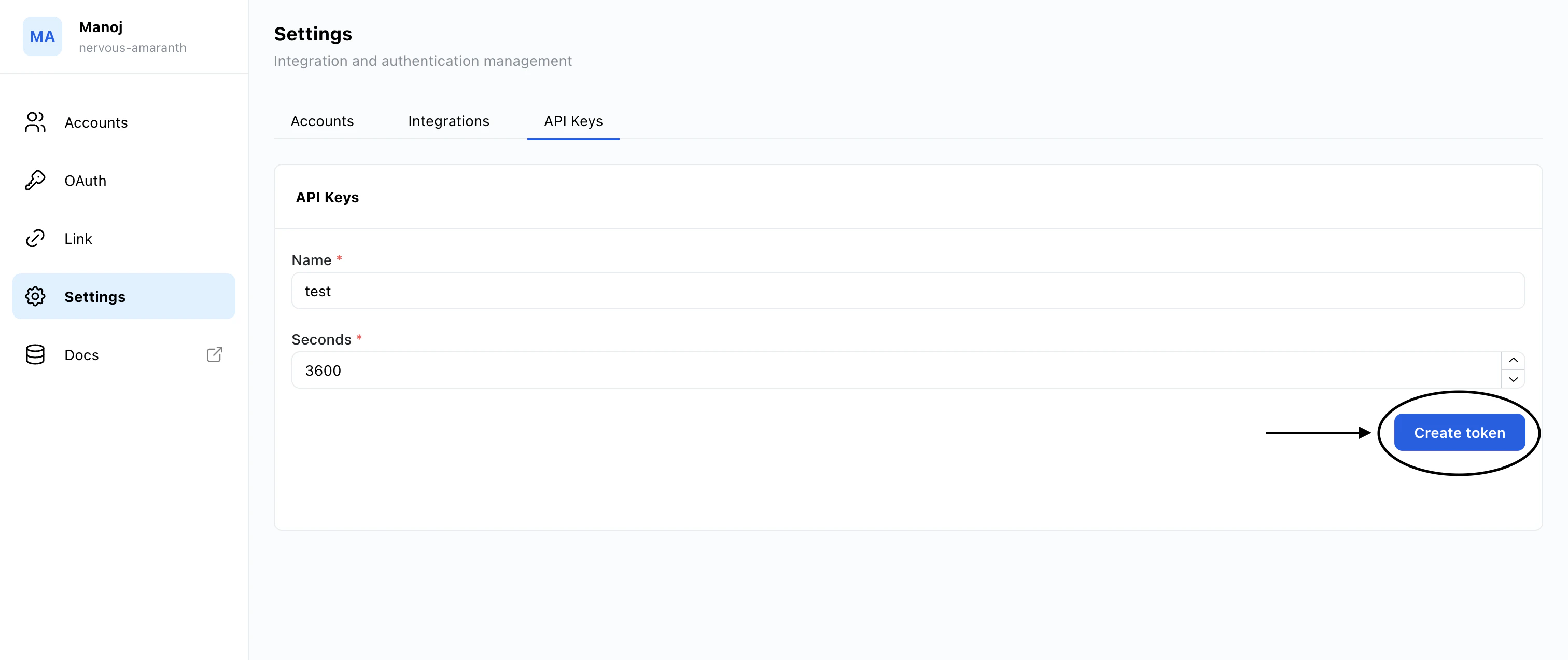 4. Done!!. Copy the token and use in as a Bearer token while calling the APIs.
```bash theme={null}
'Authorization': 'Bearer '
```
4. Done!!. Copy the token and use in as a Bearer token while calling the APIs.
```bash theme={null}
'Authorization': 'Bearer '
```