> ## Documentation Index
> Fetch the complete documentation index at: https://docs.poozle.dev/llms.txt
> Use this file to discover all available pages before exploring further.
# API Key
> Integration Accounts establish connections for end users. API Key method enables links the app and third-party platforms.
{" "}
For a more automated approach, consider establishing these connections using our
[Create API](/api-reference/integration_account/create_integration_account){" "}
{" "}
For seamless integration, we recommend using the OAuth approach if third party
api providers supports it. If not or you don't have an OAuth app, you can utilize
the API Key method.{" "}
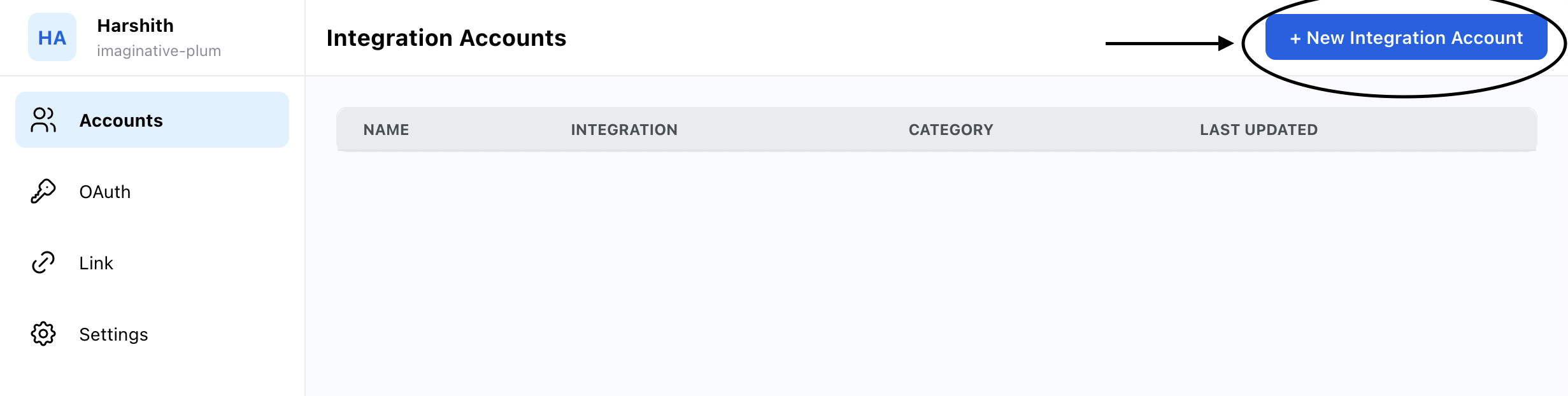
1. On the Integrations tab, Click on `+ New Integration Account`:
 2. Choose the integration you want to connect and provide the necessary information.
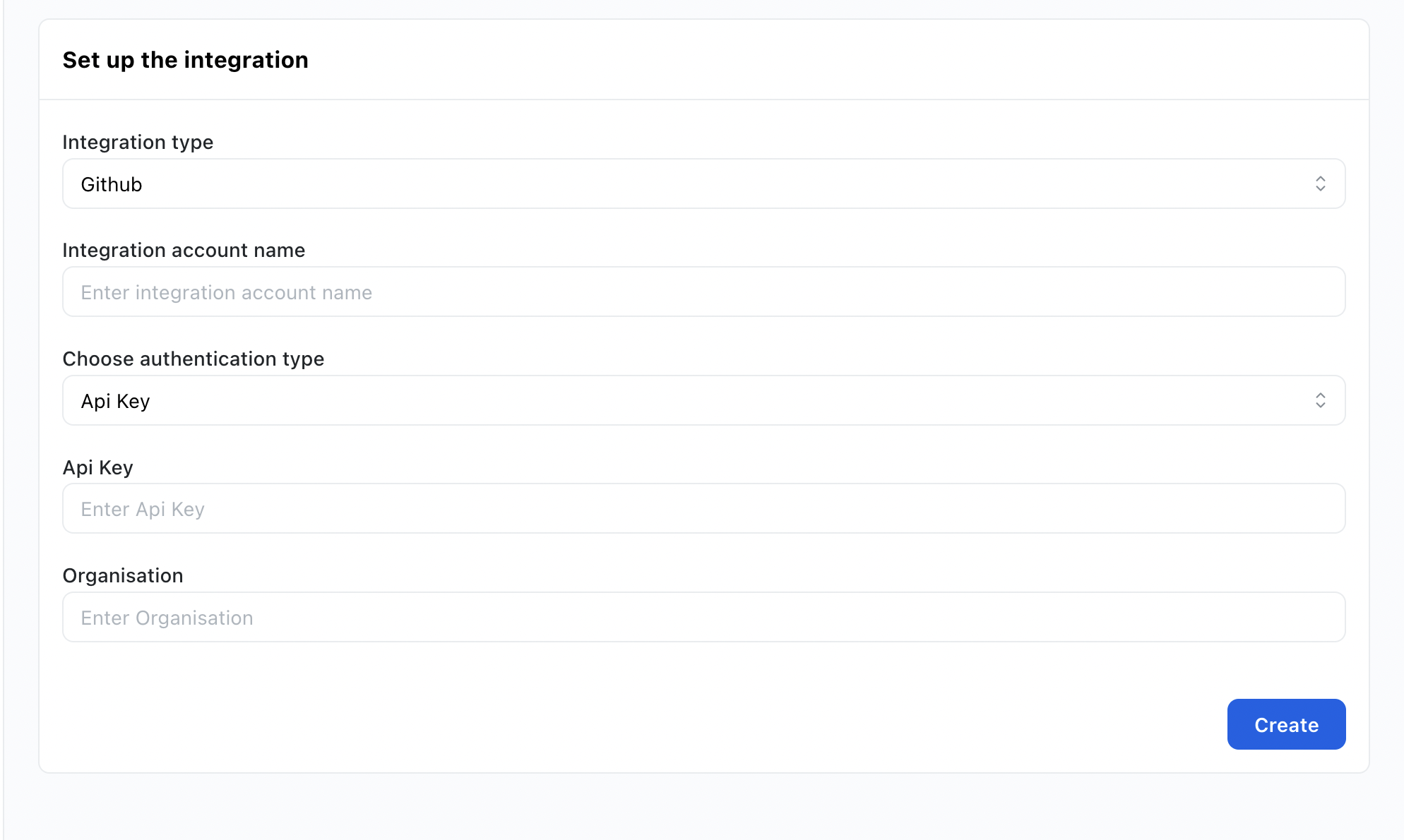 3. Enter the credentails and other information according to the integration. Once done you can click on connect.
4. Once the integration is connected it will show in the Accounts page. You can now access all the category apis for
for the respective integration.
3. Enter the credentails and other information according to the integration. Once done you can click on connect.
4. Once the integration is connected it will show in the Accounts page. You can now access all the category apis for
for the respective integration.